

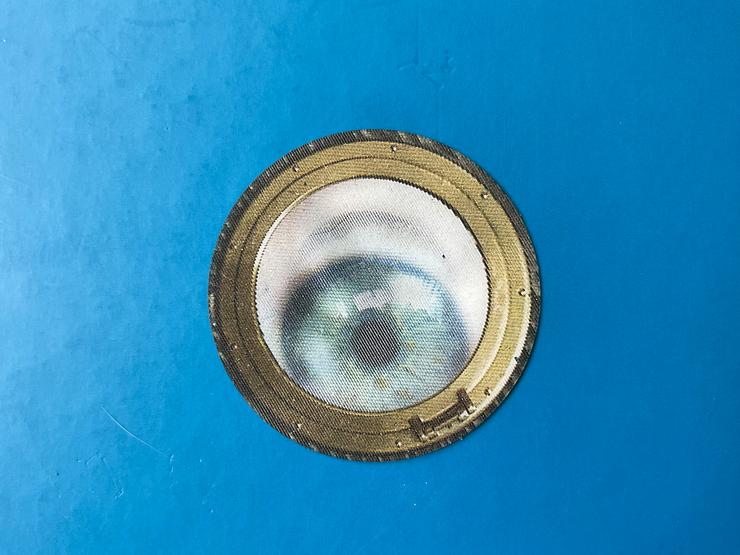
Contact lenses for computer use require special consideration to maintain comfort during extended screen time. The best options include daily disposable lenses that provide fresh hydration each day, silicone hydrogel materials that allow more oxygen to reach your eyes, and lenses with moisture-locking technologies. Features like blue light filtering and high water content help reduce digital eye strain. Proper care includes using preservative-free rewetting drops every 2-3 hours, practicing deliberate blinking exercises, and following the 20-20-20 rule: every 20 minutes, look at something 20 feet away for 20 seconds.
Why Computer Use Feels Different With Contacts
Extended screen time presents unique challenges for contact lens wearers. Digital devices demand focused attention that reduces your natural blink rate — leading to dry, uncomfortable lenses. Finding the right contact lenses for computer use can make the difference between productive workdays and persistent eye discomfort.
Understanding Computer Vision Syndrome and Contact Lens Use
Computer Vision Syndrome (CVS) affects 50-90% of people who spend three or more hours daily looking at screens, causing symptoms like eye strain, dryness, blurred vision, and headaches that can be worsened by improper contact lens use.
- Eye strain
- Dryness
- Blurred vision
- Headaches
When wearing contacts during computer use, your blink rate drops from about 15-20 times per minute to as few as 5 times, reducing tear distribution and causing lens dehydration, which leads to discomfort and blurry vision.
The 20-20-20 rule helps reduce digital eye strain: every 20 minutes, look at something 20 feet away for at least 20 seconds, allowing your eye muscles to relax and encouraging natural blinking to rewet your contact lenses.
Types of Contact Lenses Best Suited for Computer Work
What Makes Daily Disposable Lenses Ideal for Screen Time? Daily disposable lenses provide fresh, hydrated lenses each day, eliminating protein buildup that can worsen dryness during extended computer use, with studies showing 67% less discomfort compared to monthly lenses for digital device users. These single-use lenses maintain consistent moisture levels throughout the day since they don't require cleaning solutions that can leave residue.
The convenience factor also plays a significant role: no overnight storage means no risk of contamination or solution-related irritation that could compound digital eye strain symptoms.
How Do Silicone Hydrogel Lenses Help Computer Users? Silicone hydrogel lenses allow up to 5 times more oxygen to reach the cornea compared to traditional soft lenses, reducing eye fatigue and maintaining corneal health during long computer sessions when blinking is reduced.
These lenses resist dehydration better than conventional hydrogel materials, maintaining 95% of their water content after 8 hours of wear versus 80% for standard lenses, which helps prevent the sticky, dry feeling common with extended screen use.
Special Contact Lens Features for Digital Eye Strain
What Are Blue Light Filtering Contact Lenses? Blue light filtering contacts contain special materials that block 15-20% of harmful blue-violet light (400-450nm wavelength) emitted by computer screens, potentially reducing digital eye strain and improving sleep quality when used during evening computer work.
While these lenses don't replace proper ergonomics and regular breaks, wearers report 25% less eye fatigue and better contrast perception when viewing digital screens for extended periods. These specialized contact lenses for computer use work by incorporating filtering technology directly into the lens material — unlike clip-on filters or special glasses.
How Do Moisture-Locking Technologies Work? Advanced moisture technologies like wetting agents and water gradient designs create a cushion of moisture that lasts 16 hours, with the lens surface maintaining 80% water content even in low-humidity office environments.
These technologies use ingredients similar to natural tears, including hyaluronic acid and polyvinyl alcohol, which bind water molecules to the lens surface and release them gradually throughout the day, reducing the need for rewetting drops by up to 50%.
Did You Know? The average office humidity level hovers around 30% — significantly lower than the 40-60% ideal range for comfortable contact lens wear during computer work.
Proper Contact Lens Care for Computer Users
Why Is Blinking Exercise Important? Deliberate blinking exercises — fully closing eyes for 2 seconds, 10 times in a row — every hour helps spread tears evenly across contact lenses, preventing dry spots that cause blurry vision and discomfort during computer work.
Installing blink reminder apps or using the Pomodoro technique (25 minutes work, 5 minutes break) can increase your blink rate by 40%, significantly improving contact lens comfort during screen time. Gentle full blinks rather than quick flutter blinks ensure complete tear film coverage across your contact lenses for computer use.
What Role Do Rewetting Drops Play? Preservative-free rewetting drops designed for contact lenses should be used every 2-3 hours during computer work, as they restore the tear film without causing buildup that can cloud lenses or irritate eyes.
Look for drops containing electrolytes and lubricants like sodium hyaluronate, which can extend comfortable wearing time by 2-3 hours and reduce the gritty sensation that develops during prolonged screen viewing.
Did You Know? Computer users blink 66% less frequently than normal — dropping from 15-20 blinks per minute to just 5-7 when focused on screens.
Creating an Eye-Friendly Computer Environment
How Should You Position Your Screen? Position your computer monitor 20-26 inches from your eyes with the top of the screen at or slightly below eye level, reducing the exposed surface area of your eyes by 30% and decreasing tear evaporation that affects contact lens comfort.
Adjust screen brightness to match surrounding lighting and increase text size to 150% of default, reducing squinting and the tendency to lean forward, which can cause eyes to open wider and increase lens dehydration. The arm's length rule works well: sit back and extend your arm — your fingertips should just touch the screen.
What About Office Humidity and Airflow? Maintain office humidity between 40-60% using a desktop humidifier, as air conditioning and heating can drop humidity to 20%, causing contact lenses to lose moisture 3 times faster than in optimal conditions.
Position yourself away from direct air vents and fans, which can increase tear evaporation by 50% and cause contact lenses to feel dry and uncomfortable within 30 minutes of exposure. Consider placing a small hygrometer on your desk to monitor humidity levels throughout the day.
FAQ
Why do contact lenses feel dry when you use a computer for a long time?
What type of contact lens is often best for computer use?
How do silicone hydrogel contact lenses help during screen time?
Do blue light filtering contact lenses help with digital eye strain?
What are moisture-locking contact lenses, and how do they work?
How often should you use rewetting drops with contacts while working on a computer?
What is the best blinking routine for contact lens comfort at the computer?
How should you set up your computer area to make contacts more comfortable?